Typography
Variables that store values for the base layer of your design system, like colour and typography. They’re used in components, so changes on this level will resonate throughout the whole system.
Yu Gothic fonts
Our robust typography system features the Yu Gothic type family. Yu Gothic is available in the Figma web app, but it is not a default Google Font included by Figma. Because Yu Gothic is a system font pre-installed on Windows, you must install the Figma Font Helper to enable local font access in your browser.
'Major Third' type scale
(scale factor = 1.25)
Our root element (the pixel value all calculations are based on) changes at five breakpoints, ranging from 12px on extra small screens (mobile) to 17px on extra large screens (desktop). Each font size is a 1.25% multiple of that root element.
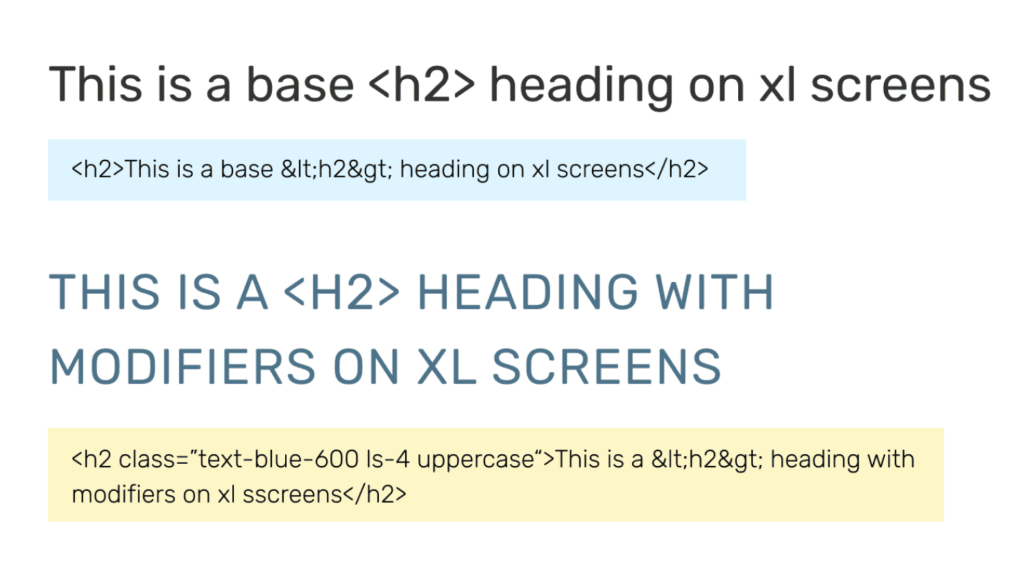
All headings have a base font family, size, weight, line height and bottom margin. There is no need to add modifier classes to achieve those default text styles.
Default settings
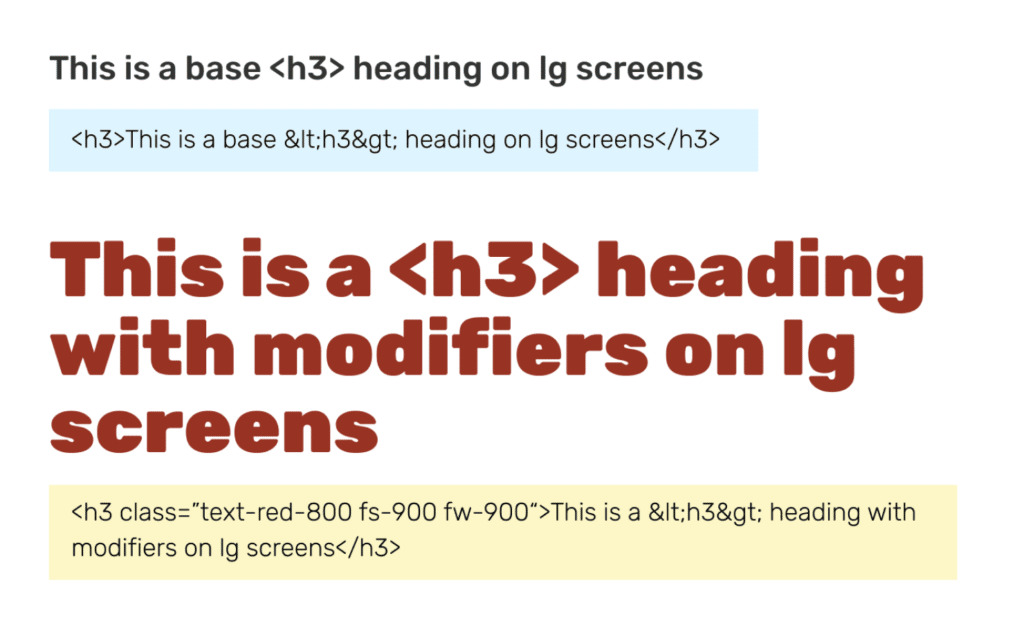
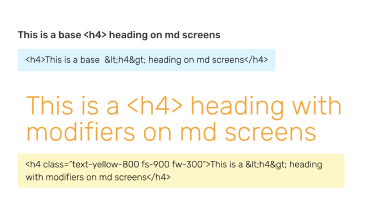
All headings and paragraph text have a base (default) font size, weight, line height, and bottom margin of .04em. There is no need to add classes to achieve the default text styles.
h1 heading
fs-8 fw-400 lh-3 (3rem font size, regular weight, line height 1.1em)
h2 heading
fs-6 fw-400 lh-3 (2rem font size, regular weight, line height 1.1em)
h3 heading
fs-6 fw-400 lh-3 (1.5rem font size, medium weight, line height 1.3em)
h4 heading
fs-4 fw-500 lh-6 (1.25rem font size, medium weight, line height 1.4em)
h5 heading
fs-3 fw-700 lh-6 (1rem font size, bold weight, line height 1.4em)
body / paragraph
fs-3 fw-300 lh-6 (1rem font size, light weight, line height 1.4em)
Modifier classes
The classes below can be applied to override the defaults and add styling such as text color and spacing. They should be used sparingly and intentionally, as the default type styles are meant to work together as a cohesive, hierarchical system in a page outline.
Font Sizes
fs-1 (.5rem)
fs-2 (.75rem)
fs-3 (1rem)
fs-4 (1.25rem)
fs-5 (1.5rem)
fs-6 (2rem)
fs-7 (2.5rem)
fs-8 (3rem)
dis-1 (3.5rem)
dis-2 (4rem)
dis-3 (5rem)
dis-4 (6rem)
dis-5 (7rem)
dis-6 (8rem)
Line Heights
lh-1 (.75em)
lh-2 (1em)
lh-3 (1.1em)
lh-4 (1.2em)
lh-5 (1.3m)
lh-6 (1.45em)
lh-7 (1.5em)
lh-8 (1.6em)
lh-9 (1.8em)
Font Weights
lh-1 (.75em)
lh-2 (1em)
lh-3 (1.1em)
lh-4 (1.2em)
lh-5 (1.3m)
lh-6 (1.45em)
lh-7 (1.5em)
lh-8 (1.6em)
lh-9 (1.8em)
Color Values
(400–900)
text-black-500
text-blue-600
text-red-700
text-yellow-800
text-green-900
Letter Spacing
ls-1 (-.025rem)
ls-2 (-.01rem)
ls-3 (.01rem)
ls-4 (.025rem)
ls-5 (.05rem)
ls-6 (.075rem)
ls-7 (.1rem)
ls-8 (.15rem)
Examples
Our default heading and paragraph elements are called out in red. Adjust the width of your browser window or view on both large and small devices to see how each line of text responds to the available screen space, based on the change in root element (rem).